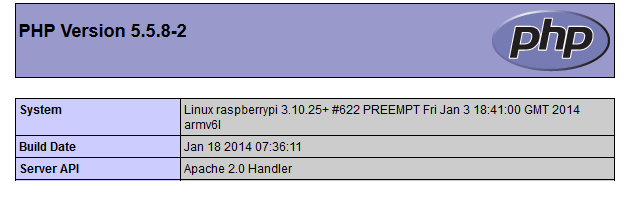
Raspberry pi runs Debian Wheezy, but with just one quick line change we can upgrade to Debian Jessie which is a newer version and provides PHP 5.5 binaries (5.5.8 at the time of this blog post.)
Start out by editing the APT sources:
vim /etc/apt/sources.list
Change wheezy to jessie, so that it looks like this:
deb http://mirrordirector.raspbian.org/raspbian/ jessie main contrib non-free rpi
(Don’t add or remove any lines, just change the one above)
Now run:
apt-get update && apt-get upgrade && apt-get autoremove
If you havent aready installed PHP, you can do it now via:
apt-get install php5 php5-cli
Finally, confirm your PHP version:
php -v
This should result in:
PHP 5.5.8-2 (cli) (built: Jan 18 2014 07:39:52) Copyright (c) 1997-2013 The PHP Group Zend Engine v2.5.0, Copyright (c) 1998-2013 Zend Technologies

Is this still ok as a way to upgrade to jessie? Any problems?
Where is the info about the features/issues etc of jessie. Don’t see it mentioned much.
ETA for release – are we talking week? Months?
John
Hey John,
It is a perfectly fine way to upgrade to Jessie. No problems in the upgrade itself.
That being said, I have had a couple of segfaults with Apache and PHP 5.5. They may be related to Zend Opcache or APCu, which I am also running.
I don’t think Raspbian is going to upgrade to Jessie for a while, I find very little online about it.
Thanks – I managed to do the upgrade as described & it all wwent w/o eroor, although there still seem to be wheezy libraries used. But then had problems with wifi -it works on wheezy- it was finding my router wifi but then dropping out after a few secs.
Is there any info about bugs /fixes for jessie – can’t see any – but I can’t se any for wheezy either!
John
Works like a charm. Thank you
Awesome, thanks!
Had a minor hiccup while installing over SSH. The package manager was unable to update ssh while in use so had to plug a keyboard and monitor in to update manually afterwards.
This worked like a charm. Thanks a bunch!
Pingback: Debian – system stuff | badly connected